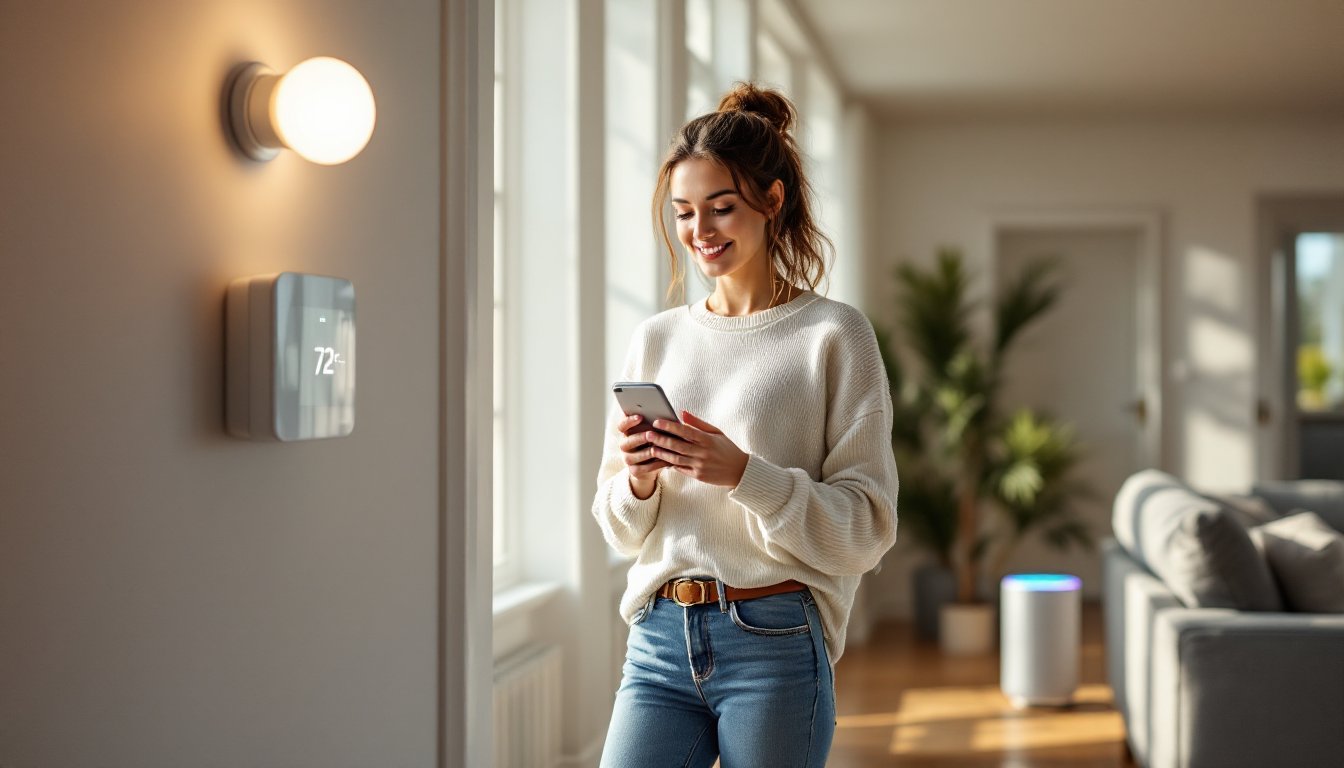
Home automation isn’t science fiction anymore, it’s the DIY-friendly technology that lets homeowners control lights, thermostats, security cameras, and door locks from a smartphone or voice command. Whether someone’s looking to cut energy bills, boost home security, or just avoid getting off the couch to flip a light switch, these systems deliver measurable convenience and efficiency. But before diving into product catalogs and app downloads, it’s worth understanding what home automation actually is, how the pieces fit together, and which projects make sense for a first-timer versus a seasoned DIYer.
Table of Contents
ToggleKey Takeaways
- A home automation system is a network of internet-connected devices that manage household functions through centralized software or voice commands, using sensors, controllers, and actuators to automate everyday tasks.
- Smart thermostats can reduce heating and cooling costs by 10–23%, while automated lighting and smart plugs eliminate phantom power drains, delivering measurable energy savings within months.
- Modern wireless protocols like Zigbee, Z-Wave, and Wi-Fi make DIY installation accessible—most starter projects require only a smartphone, screwdriver, and Wi-Fi router, with no electrician needed for basic setups.
- Hub-based systems and mesh networks allow devices to communicate seamlessly, with Matter certification improving cross-ecosystem compatibility across Amazon Alexa, Google Assistant, and Apple HomeKit platforms.
- Popular beginner projects like smart entryway lighting, thermostat installation, and water leak detection deliver immediate value in 15–40 minutes, while security cameras and voice-controlled garage doors expand protection and convenience.
- Budget for ongoing subscription costs (security cameras, cloud storage, professional monitoring) and assess existing infrastructure—neutral wires in switch boxes and C-wires at thermostats—to avoid costly mid-project surprises.
Understanding Home Automation: The Basics
A home automation system is a network of internet-connected devices that manage and control household functions, lighting, climate, entertainment, appliances, and security, through centralized software or voice commands. Unlike old-school programmable timers or standalone gadgets, modern automation ties everything together so devices “talk” to each other and respond to schedules, triggers, or user input.
At its core, automation relies on three elements: sensors (motion detectors, door contacts, temperature probes), controllers (hubs, apps, voice assistants), and actuators (smart switches, thermostats, locks). When someone walks into a room, a motion sensor signals the controller, which tells a smart bulb to turn on. That’s automation in its simplest form.
The technology has evolved from hardwired systems requiring professional installation to wireless protocols like Wi-Fi, Zigbee, Z-Wave, and Thread. Many of today’s home automation projects can be tackled on a weekend with nothing more than a smartphone, a screwdriver, and a decent Wi-Fi router. No electrician’s license required, though some tasks, like replacing a load-bearing smart switch in a multi-gang box, might still call for one.
How Home Automation Systems Work
Home automation systems operate on a hub-and-spoke model or a distributed mesh network. In a hub-based setup, a central controller (like Samsung SmartThings, Hubitat, or Apple HomePod) communicates with individual devices over Zigbee, Z-Wave, or Wi-Fi. The hub runs automation rules: “If front door unlocks after 6 PM, turn on porch light and hallway lights.”
Mesh networks (common with Zigbee and Thread) let devices relay signals to each other, extending range and improving reliability. A smart plug in the living room can pass commands to a bulb in the bedroom, even if the bedroom is out of direct hub range. This is especially handy in larger homes or places with thick plaster walls that block signals.
Most systems integrate with voice assistants, Amazon Alexa, Google Assistant, or Apple Siri, so users can bark commands from across the room. Behind the scenes, the voice platform sends an API call to the device’s cloud service, which pings the local hub or device to execute the action. Latency is usually under a second, but cloud dependency means an internet outage can disable voice control (local hubs with offline automation rules keep working).
Interoperability has improved thanks to Matter, a new standard backed by Apple, Google, Amazon, and others. Matter-certified devices work across ecosystems without proprietary hubs, simplifying setup and reducing the “which brand works with what” headache. As of 2026, Matter support is widespread but not universal, check compatibility before buying.
Key Components of a Home Automation System
Building a functional system requires a mix of hardware and software. Here’s what most setups include:
- Hub or Controller: Centralized brain that manages devices and automation rules. Examples: SmartThings, Hubitat Elevation, Home Assistant (open-source).
- Communication Protocol: Zigbee, Z-Wave, Wi-Fi, Thread, or Bluetooth. Zigbee and Z-Wave are low-power mesh protocols: Wi-Fi offers speed but drains batteries faster.
- Smart Devices: Switches, plugs, bulbs, thermostats, locks, cameras, sensors.
- Network Infrastructure: A reliable dual-band (2.4 GHz and 5 GHz) router is essential. Many smart devices use 2.4 GHz exclusively. Mesh Wi-Fi systems (Eero, Google Nest Wifi) help eliminate dead zones.
- User Interface: Smartphone app, wall-mounted touchscreen, or voice assistant.
- Power Supply: Battery-operated sensors need fresh batteries every 6–24 months. Hardwired devices (like smart switches) tap into existing 120V household wiring.
Safety note: Any work inside a breaker panel or involving line-voltage wiring (120V or 240V) should follow NEC (National Electrical Code) guidelines. If someone’s not comfortable working with live circuits, hire a licensed electrician. DIY is great, but electrocution isn’t.
Popular Types of Home Automation Devices
Lighting: Smart bulbs (Philips Hue, LIFX) screw into standard E26 sockets and offer dimming, color tuning, and scheduling. Smart switches (Lutron Caseta, Inovelli) replace existing wall switches and control any bulb, dumb or smart. Switches require a neutral wire in most cases, older homes without neutral wires need specialized switches or an electrician to run new wire.
Climate Control: Smart thermostats (Ecobee, Nest, Honeywell Home) replace standard 24V HVAC thermostats. Installation is straightforward if the existing thermostat uses a C-wire (common wire) for continuous power. No C-wire? Some models include a power extender kit, or an HVAC tech can add one.
Security: Smart locks (Schlage Encode, Yale Assure) retrofit onto existing deadbolts or replace them entirely. Most use AA or CR123A batteries and alert users via app when batteries run low. Video doorbells (Ring, Arlo) require existing doorbell wiring (16–24V AC) or battery power. Hardwired models are more reliable.
Sensors and Detectors: Motion sensors, door/window contacts, water leak detectors, and smoke/CO alarms. Battery-powered Zigbee or Z-Wave sensors are easiest to install, just stick them up with adhesive or mount with screws. Look for UL-listed smoke/CO detectors that meet IRC (International Residential Code) requirements if replacing existing hardwired alarms.
Entertainment: Smart speakers, streaming devices, and multi-room audio systems. These are plug-and-play but benefit from a strong network backbone.
Benefits of Installing a Home Automation System
Automation delivers tangible returns beyond the “cool factor.” Here’s what homeowners actually gain:
Energy Savings: Smart thermostats can reduce heating and cooling costs by 10–23%, according to industry research on smart home efficiency. Automated lighting schedules prevent lights from burning all day, and smart plugs can kill phantom loads from electronics in standby mode. Savings vary by climate, home size, and usage patterns, but most users see a noticeable dip in utility bills within a few months.
Security and Peace of Mind: Remote monitoring via cameras and smart locks means homeowners can check on deliveries, let in a contractor, or verify the garage door closed, all from a phone. Motion-activated lights and automated routines (“vacation mode” that randomly toggles lights) deter break-ins. While no system is burglar-proof, visible cameras and smart locks add friction that sends opportunistic intruders elsewhere.
Accessibility: Voice control and app-based interfaces help people with mobility limitations. Someone with arthritis can unlock doors, adjust thermostats, or turn off lights without twisting knobs or flipping switches. Automated routines reduce the need to move around the house at night.
Convenience and Time Savings: “Good morning” routines that brew coffee, adjust blinds, and read the weather save a few minutes daily. Over a year, that adds up. Automated reminders, like a water leak sensor pinging a phone, catch problems before they become expensive repairs.
Home Value: Buyers increasingly expect smart features. A well-integrated system (especially one that stays with the house) can be a selling point, though it’s rarely a deal-maker on its own. Cost considerations for smart systems vary widely, from a few hundred dollars for basic setups to several thousand for whole-home integration.
Getting Started: Choosing the Right System for Your Home
First-time buyers face a dizzying array of platforms, protocols, and price points. Here’s how to cut through the noise:
Start Small and Expand: Don’t gut the entire electrical system on day one. Pick one room or one function (lighting, climate, security) and learn the ropes. A starter kit, like a hub, two smart bulbs, and a motion sensor, costs $100–$200 and teaches the basics without a major commitment.
Assess Existing Infrastructure: Does the home have neutral wires in switch boxes? Is there a C-wire at the thermostat? Is the Wi-Fi solid in every room? Answering these questions up front prevents mid-project surprises. A non-contact voltage tester ($15–$25) and a flashlight are all the tools needed to peek inside a switch box and check wiring.
Pick a Platform: Amazon Alexa, Google Home, and Apple HomeKit each have strengths. Alexa has the widest device compatibility and the most third-party integrations. Google Assistant excels at natural-language queries and ties into Google services. HomeKit offers strong privacy protections and works seamlessly with iPhones, but device selection is narrower. Matter-certified devices work across all three, offering future flexibility.
Wired vs. Wireless: Hardwired systems are faster and more reliable but require in-wall installation. Wireless systems are DIY-friendly and renter-compatible. For renters or anyone skittish about opening walls, stick with plug-in modules, battery-powered sensors, and smart bulbs. Homeowners planning to stay put can invest in wired switches, ceiling fan controllers, and in-wall receptacles for a cleaner, long-term solution.
Budget for Ongoing Costs: Some devices require subscription services for cloud storage (security cameras), advanced features (Nest Aware), or professional monitoring (ADT, Ring Protect). Factor these into the total cost of ownership. Many systems work fine without subscriptions, local storage on microSD cards or hub-based recording keeps footage accessible without monthly fees.
Learn from Real Examples: Exploring home assistant automation examples can spark ideas and reveal practical use cases that go beyond manufacturer marketing. Real-world setups show what actually works versus what sounds good on a spec sheet.
Common Home Automation Projects for DIY Enthusiasts
Here are beginner-to-intermediate projects that deliver immediate value without requiring an engineering degree:
1. Automated Entryway Lighting
Replace a standard light switch with a smart dimmer switch (Lutron, GE, Inovelli). Connect it to a motion sensor near the door. Set a rule: motion after sunset = lights on at 75% for 5 minutes. Tools needed: flathead screwdriver, wire stripper, voltage tester. Time: 30 minutes. Wear safety glasses and kill power at the breaker before touching any wires.
2. Smart Thermostat Installation
Swap out a mechanical or basic digital thermostat for a smart model. Most homes built after 2000 have a C-wire: older homes may not. Check the existing thermostat wiring before ordering. If there’s no C-wire, some thermostats (like Ecobee) include a power extender kit (PEK) that piggybacks on other wires. Installation takes 20–40 minutes. Label each wire with painter’s tape before disconnecting the old unit, mismatched wires can damage HVAC equipment.
3. Whole-Home Lighting Scenes
Set up coordinated lighting across multiple rooms using smart bulbs or switches. Create scenes like “Movie Time” (dim living room, turn off kitchen) or “Bedtime” (shut off all lights, lock front door). Most hubs and voice assistants support scene creation in their apps. No tools required, just time to configure.
4. Water Leak Detection
Place water leak sensors under sinks, behind toilets, near water heaters, and by washing machines. When moisture is detected, the sensor pings a phone and can trigger a smart valve to shut off the main water supply (if one’s installed). Sensors are battery-powered and mount with adhesive. Time: 10 minutes per sensor. This is cheap insurance against catastrophic water damage.
5. Security Camera Network
Mount wireless cameras at entry points, front door, back door, garage. Run power to each location (most cameras need a 5V USB power supply or 120V outlet). Configure motion zones in the app to reduce false alerts from passing cars or trees. Check local laws, some jurisdictions regulate audio recording or require signs notifying visitors of surveillance. For homes in specific regions, researching local options like smart solutions in Tucson can uncover region-specific installers or equipment recommendations.
6. Voice-Controlled Garage Door
Add a smart garage door controller (Chamberlain MyQ, Tailwind) to an existing opener. Most units connect to the opener’s wall button terminals and communicate via Wi-Fi. Once set up, the garage can be opened or closed by voice, app, or geofence (auto-close when leaving home). Installation: 15–30 minutes. Check that the existing opener has safety sensors (required by UL 325 since 1993), if not, upgrade the opener first.
For those looking to expand beyond the basics, exploring additional automation ideas can provide inspiration and technical depth.
Safety Reminder: Any project involving 120V or 240V wiring should only be attempted by those comfortable working with electricity and familiar with local codes. When in doubt, hire a pro. Similarly, structural modifications (running conduit through studs, mounting heavy equipment to joists) may require permits, check with the local building department before drilling.
Finally, detailed guides on smart home components offer product comparisons and troubleshooting tips that can save hours of trial and error.