Robot vacuums have moved from luxury gadgets to everyday workhorses, and the Xiaomi Robot Vacuum E10 sits squarely in the affordable-yet-capable camp. For homeowners juggling work, family, and the endless battle against dust and pet hair, it promises a hands-off solution without the premium price tag. But does it actually hold up in real-world homes with pets, kids, and varied flooring? This guide breaks down the E10’s specs, installation process, performance quirks, and maintenance needs to help you decide if it’s the right fit for your floors.
Table of Contents
ToggleKey Takeaways
- The Xiaomi Robot Vacuum E10 is an affordable robot vacuum under $250 designed for light to moderate daily cleaning on hard floors and low-pile carpets in homes up to 1,500 square feet.
- With 4,000 Pa suction power and a 90–110 minute runtime, the E10 handles everyday dust and pet hair effectively, though it uses random navigation rather than laser mapping, resulting in less efficient cleaning patterns.
- The Xiaomi Robot Vacuum E10 integrates with Alexa and Google Assistant for voice control and smart scheduling through the Mi Home app, supporting routine automation without HomeKit compatibility.
- Regular maintenance—emptying the dustbin every 2–3 cycles, cleaning brushes weekly, and replacing the filter monthly—extends the E10’s lifespan from 3 years to 4–5 years and prevents performance decline.
- The E10 works best as a daily touch-up tool run 3–5 times weekly rather than a deep-clean replacement, and struggles with thick carpets, complex room layouts, and obstacle detection in tight spaces.
What Is the Xiaomi Robot Vacuum E10 and Who Is It For?
The Xiaomi Robot Vacuum E10 is a budget-friendly robotic vacuum designed for light to moderate daily cleaning. It’s not a deep-clean replacement for your upright or canister vacuum, but it excels at maintaining clean floors between manual sessions.
This model targets homeowners with smaller to medium-sized homes, think 1,000 to 1,500 square feet, who want to automate daily dust and debris pickup. It works best on hard floors (tile, laminate, hardwood) and low-pile carpets. If you’ve got thick shag rugs or multiple levels with tight corners, you’ll want something with more advanced navigation and stronger suction.
The E10 shines in homes with pets that shed moderately. Its motorized brush and side sweepers handle hair reasonably well, though you’ll need to clean the brush roller regularly to prevent tangles. Families with young kids dropping crumbs constantly will appreciate the daily touchup without dragging out a full vacuum.
It’s not for perfectionists. The E10 uses random navigation rather than laser mapping, so it doesn’t create efficient room-by-room cleaning paths. Expect some overlap and occasional missed spots. But for the price point, typically under $250 as of early 2026, it delivers solid value for routine upkeep rather than deep restoration cleaning.
Key Features and Specifications That Matter
Suction Power and Cleaning Performance
Suction power sits at 4,000 Pa, which is respectable for entry-level models. For context, that’s enough to pull up dust, crumbs, and light debris from hard floors and thin carpets. It won’t match the 6,000+ Pa units that tackle ground-in dirt in high-pile carpet, but it handles everyday messes competently.
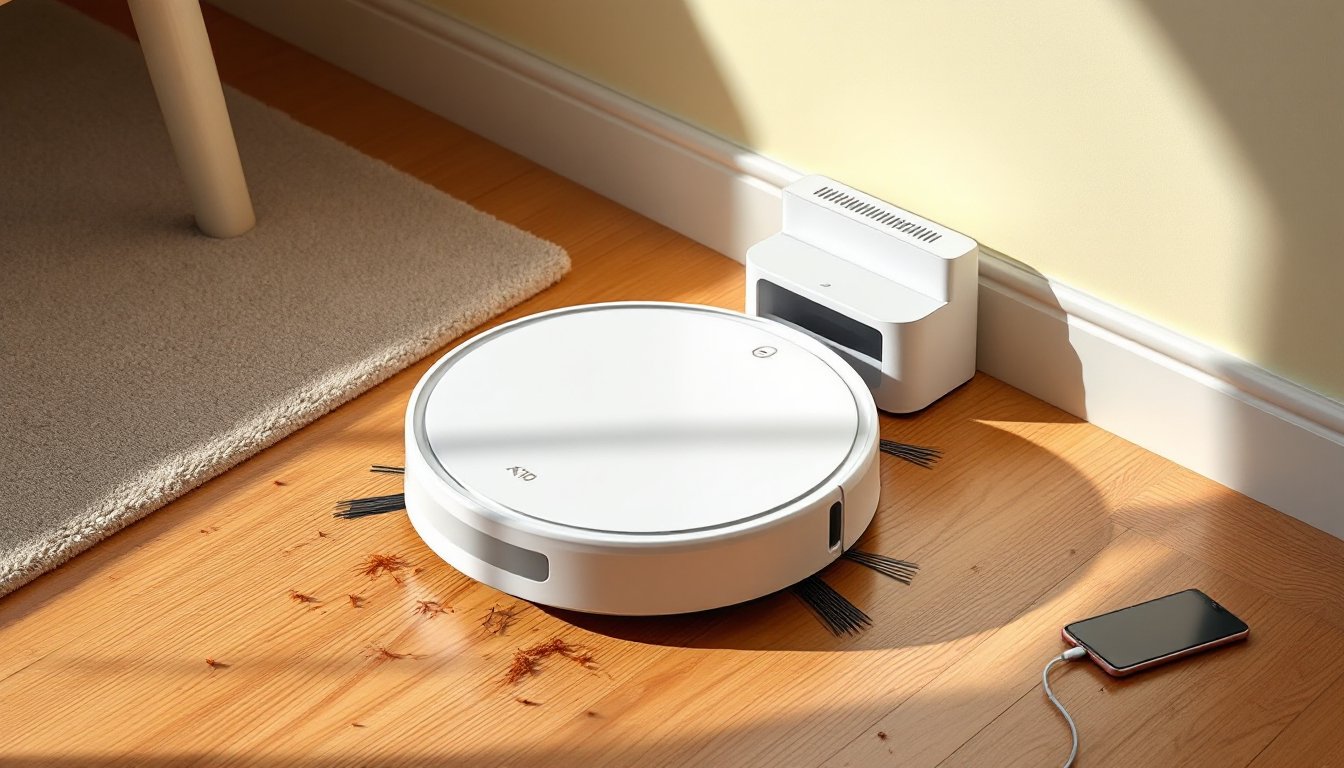
The E10 features a three-stage cleaning system: dual side brushes sweep debris toward the center, a motorized roller brush agitates and lifts particles, and the suction inlet pulls everything into the dustbin. The 300 ml dustbin capacity means you’ll empty it every 2-3 cleaning cycles in a typical home, more often if you have heavy shedders.
Carpet detection isn’t automatic. The vacuum maintains consistent suction across surfaces, which works fine for low-pile rugs but doesn’t boost power on thicker carpets. According to reviewers on platforms like Tom’s Guide, this limitation is common in budget models and shouldn’t surprise anyone at this price tier.
Noise level hovers around 65-70 dB, roughly equivalent to a dishwasher. You can run it while working from home without major distraction, though phone calls in the same room get tricky.
Battery Life and Coverage Area
The 2,600 mAh battery provides roughly 90 to 110 minutes of runtime on a full charge, depending on floor type and suction settings. That translates to cleaning approximately 1,000 to 1,200 square feet in one session, adequate for most single-level apartments and small homes.
When the battery dips below 20%, the E10 automatically returns to its charging dock. Recharge time runs about 4 to 5 hours from empty to full. There’s no resume function, so if your home exceeds the coverage area, you’ll need to restart the cycle manually after recharging.
The random navigation pattern means the actual coverage varies. The vacuum may clean high-traffic areas multiple times while skipping corners. Setting up virtual barriers (if you purchase the optional magnetic strips separately) helps keep it out of problem zones like pet bowls or cable nests.
Setting Up Your Xiaomi E10: Installation and Smart Home Integration
Unboxing and physical setup takes about 10 minutes. Here’s the process:
-
Charge the dock: Plug the charging base into a wall outlet and position it against a wall with at least 1.5 feet of clearance on each side and 4 feet in front. The E10 needs room to navigate back without bumping furniture.
-
Power on the vacuum: Flip the power switch on the underside of the unit. You’ll hear a startup chime.
-
Download the Mi Home app: Available for iOS and Android. Create an account if you don’t have one.
-
Add the device: Open the app, tap the plus icon, and select “Robot Vacuum.” Follow the prompts to connect the E10 to your 2.4 GHz Wi-Fi network (it doesn’t support 5 GHz). The pairing process takes 2-3 minutes.
-
Set cleaning schedules: Within the app, program daily or weekly cleaning times. You can also start, pause, or dock the vacuum remotely.
Smart home integration works with Amazon Alexa and Google Assistant. Voice commands like “Alexa, start vacuuming” or “Hey Google, send the vacuum home” function reliably once you’ve linked accounts. The E10 doesn’t support HomeKit, so Apple-centric households miss out on Siri control.
One heads-up: the Mi Home app occasionally pushes firmware updates. Don’t skip these, they often improve navigation logic and battery management. Updates take 10-15 minutes and the vacuum won’t operate during installation.
If you’re building a broader smart home ecosystem, the E10 integrates smoothly with other Xiaomi devices. You can create automation routines, like starting a vacuum cycle when your smart door lock engages, but cross-brand compatibility is limited compared to platforms with IFTTT support.
Real-World Performance: Pros and Cons for Homeowners
After testing and aggregating feedback from multiple smart home reviews and user reports, here’s what actually matters day-to-day.
Pros:
- Affordability: At under $250, it undercuts competitors with similar specs by $100-$200.
- Low maintenance: The dustbin, filter, and brushes are tool-free to remove and clean.
- Quiet operation: You can watch TV or take calls while it runs.
- Pet hair handling: The motorized brush manages moderate shedding from cats and smaller dogs without constant clogging.
- Scheduling reliability: Once programmed, it runs consistently without babysitting.
Cons:
- Random navigation: Expect inefficient cleaning patterns. It’ll cover the area eventually, but not intelligently.
- No room mapping: You can’t assign specific rooms or set no-go zones without physical barriers.
- Struggles with thick carpets: High-pile rugs and plush carpets overwhelm the motor. Stick to low-pile or hard floors.
- Small dustbin: Frequent emptying becomes tedious in larger homes or during shedding season.
- Limited obstacle detection: The E10 bumps into furniture legs and cables. It won’t damage anything, but it’s not graceful.
- No mopping function: Some competitors in this price range add basic mopping. The E10 vacuums only.
The E10 works best when you think of it as a daily touch-up tool, not a weekly deep clean replacement. Run it 3-5 times per week to keep floors tidy, then break out your upright for baseboards and corners every couple of weeks.
One common frustration: the E10 occasionally gets stuck on rug tassels, loose charging cables, or transitions between hard floors and thick rugs. A quick pre-clean sweep of obvious obstacles saves you from mid-cycle rescues.
Maintenance Tips to Maximize Your E10’s Lifespan
Robot vacuums fail early when owners skip basic upkeep. Here’s the maintenance schedule that keeps the E10 running:
After every 2-3 cleaning cycles:
- Empty the dustbin. Don’t wait until it’s packed, overfilling strains the motor and reduces suction.
- Pull hair and fibers off the main brush roller. Pet hair wraps around the roller shaft, so keep scissors handy to snip tangles.
Weekly:
- Clean the side brushes. They collect hair at the base. Pop them off (they’re snap-fit, no tools needed) and remove buildup.
- Wipe the charging contacts on both the vacuum and dock with a dry cloth. Dust on the contacts prevents proper charging.
- Check the sensors (usually small windows on the bumper and underside). Wipe them with a microfiber cloth. Dirty sensors cause navigation errors.
Monthly:
- Rinse the HEPA filter under cool water and let it air-dry completely before reinstalling (usually 24 hours). Replace the filter every 3-4 months or when it no longer comes clean.
- Inspect the wheels for debris. Hair and string wrap around the axles and cause uneven movement.
Every 6-12 months:
- Replace the main brush roller and side brushes. Bristles wear down over time, reducing cleaning efficiency. Replacement kits cost $15-$25 and are available on Amazon or through Xiaomi’s parts store.
- Check the battery health in the Mi Home app. If runtime drops below 60 minutes on a full charge, consider a battery replacement (around $40-$50).
Safety note: Always power off the vacuum before cleaning or servicing. The brush motor can start unexpectedly if the unit is on.
For homes with heavy pet traffic, double the maintenance frequency. Fur and dander clog filters and brushes faster than typical household dust.
According to experts at Digital Trends, consistent maintenance extends the average lifespan of budget robot vacuums from 2-3 years to 4-5 years, well worth 10 minutes of weekly attention.
Store replacement parts (filters, brushes) when they go on sale. You’ll need them eventually, and stockpiling during promotions saves 20-30% over buying piecemeal.